Developer Prompt Guide: Practical Examples for Junior Developers
A developer prompt guide for junior developers with clear prompt patterns, examples, and a JavaScript workflow for writing better AI instructions.
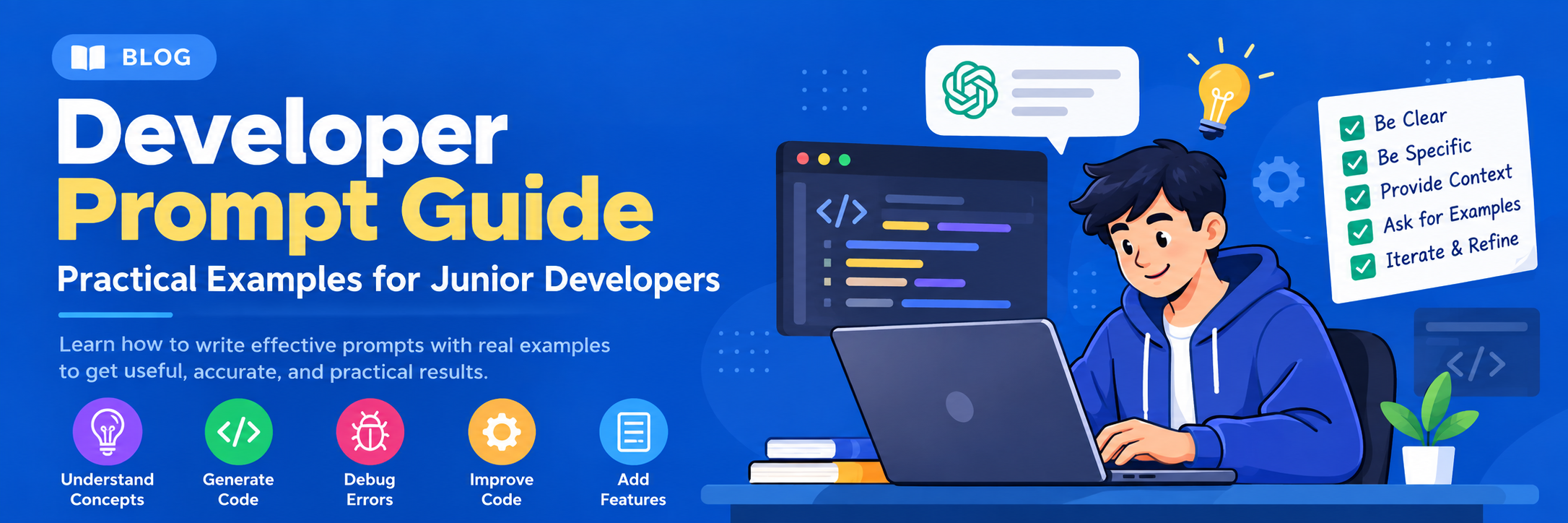
Why a developer prompt guide matters
A good developer prompt guide helps junior developers turn vague ideas into reliable AI outputs. Prompting is not magic; it is a specification skill. The clearer you describe the task, constraints, context, and output format, the more useful the result tends to be. OpenAI’s official docs emphasize giving models concrete instructions, examples, and structure, and the platform’s API docs show how those instructions fit into real applications. (platform.openai.com)
This article gives you a practical, junior-friendly way to write prompts for coding, debugging, summaries, and content generation. The goal is not just better answers from a model, but a repeatable workflow you can use at work. OpenAI’s current platform documentation also highlights the Responses API, tools, and conversational prompting patterns as building blocks for app development. (platform.openai.com)
The core formula: role, task, context, constraints, output
For most tasks, use a simple structure:
- Role: who the model should act as.
- Task: what you want done.
- Context: background details, files, audience, stack, or business goal.
- Constraints: length, tone, tools, language, or what to avoid.
- Output format: bullet list, table, JSON, code block, checklist, or step-by-step answer.
That structure mirrors the way official prompting guidance encourages specific instructions and examples rather than vague requests. In practice, it reduces back-and-forth and makes outputs easier to verify. (platform.openai.com)
A beginner prompt template
Use this template when you are not sure how to start:
You are a [role].
Task: [what you need].
Context: [project, audience, stack, or example input].
Constraints: [limits, style, do not do this].
Output format: [exact format you want].
Example:
You are a senior JavaScript reviewer.
Task: Review this function for readability and possible bugs.
Context: It runs in a Node.js backend.
Constraints: Focus on correctness, naming, and edge cases. Keep the response under 200 words.
Output format: 3 bullet points and 1 improved code snippet.
This prompt is better than “review my code” because it gives the model a job, a target environment, and a response shape. OpenAI’s API examples show that the model responds well when the request is framed with direct instructions and a clear expected output. (platform.openai.com)
Prompt examples junior developers can reuse
1) Debugging a bug report
You are a debugging assistant.
Task: Help identify the likely cause of this bug.
Context: A React app crashes when the user clicks Save after editing a form.
Constraints: Do not invent missing code. List probable causes from most to least likely.
Output format: 1) likely cause 2) how to verify 3) next fix.
Why this works: it asks for hypotheses, not a guess presented as fact.
2) Explaining code to a junior teammate
Explain this JavaScript function to a junior developer.
Context: They know arrays, functions, and objects, but not closures.
Constraints: Use simple language, one short example, and no jargon unless defined.
Output format: short explanation, then a small example.
3) Writing tests
You are a test-writing assistant.
Task: Generate unit test cases for this function.
Context: Jest, Node.js, and pure functions only.
Constraints: Include normal cases, edge cases, and failure cases.
Output format: test plan first, then code.
4) Summarizing a technical doc
Summarize this API documentation for a new developer.
Context: They need to integrate the endpoint this week.
Constraints: Keep the summary practical. Include prerequisites, request shape, and common mistakes.
Output format: bullets with a final “watch out” section.
How to ask for better code
If you want code, specify the exact environment. OpenAI’s quickstart and API reference show examples in JavaScript, and the official docs make it clear that model behavior changes with the prompt and supported modalities. (platform.openai.com)
Bad prompt:
Write me a function to format data.Better prompt:
Write a pure JavaScript function that formats a list of user objects.
Input: [{ name, email, createdAt }].
Output: an array of strings like “Ada — [email protected]”.
Constraints: No external libraries, no global variables, and include one usage example.
Here is a small reusable pattern for keeping prompts out of global scope in a JavaScript app:
(() => {
  const prompt = [
    'You are a senior JavaScript reviewer.',
    'Task: review this function for readability and bugs.',
    'Output format: 3 bullet points and 1 improved version.'
  ].join('\n');

  console.log(prompt);
})();
The IIFE keeps the prompt assembly local, which is useful in demos, scripts, and quick experiments.
Common mistakes junior developers should avoid
- Being too vague: “Improve this” is not enough.
- Mixing tasks: ask for one outcome at a time.
- Forgetting constraints: language, framework, tone, and length matter.
- Not checking outputs: model answers can be wrong, incomplete, or overly confident.
- Skipping examples: one good example often improves consistency.
OpenAI’s prompting-related documentation and API examples reinforce a simple reality: models are highly responsive to the structure and specificity of the request, but they are still tools that need human review. (platform.openai.com)
A workflow you can use at work
- Write the task in one sentence.
- Add context: stack, audience, and goal.
- Add constraints: length, style, and what not to do.
- Ask for a specific format.
- Review the result and refine the prompt.
That loop is how junior developers get better quickly. Over time, you will notice patterns: the best prompts are usually short, specific, and testable.
Final takeaway
A strong developer prompt guide is less about fancy wording and more about precision. If you tell the model what role to play, what problem to solve, what context matters, and how to format the answer, you get better results with less friction. Use the templates above as a starting point, then adapt them to your stack, team, and real-world tasks.